Write a professional memo in minutes
Describe the news, the decision or the change, or paste your notes. SlidesBat writes a clear memo with a purpose up front, background, key points, actions and next steps, on your letterhead with page numbers. Export to PDF or Word.
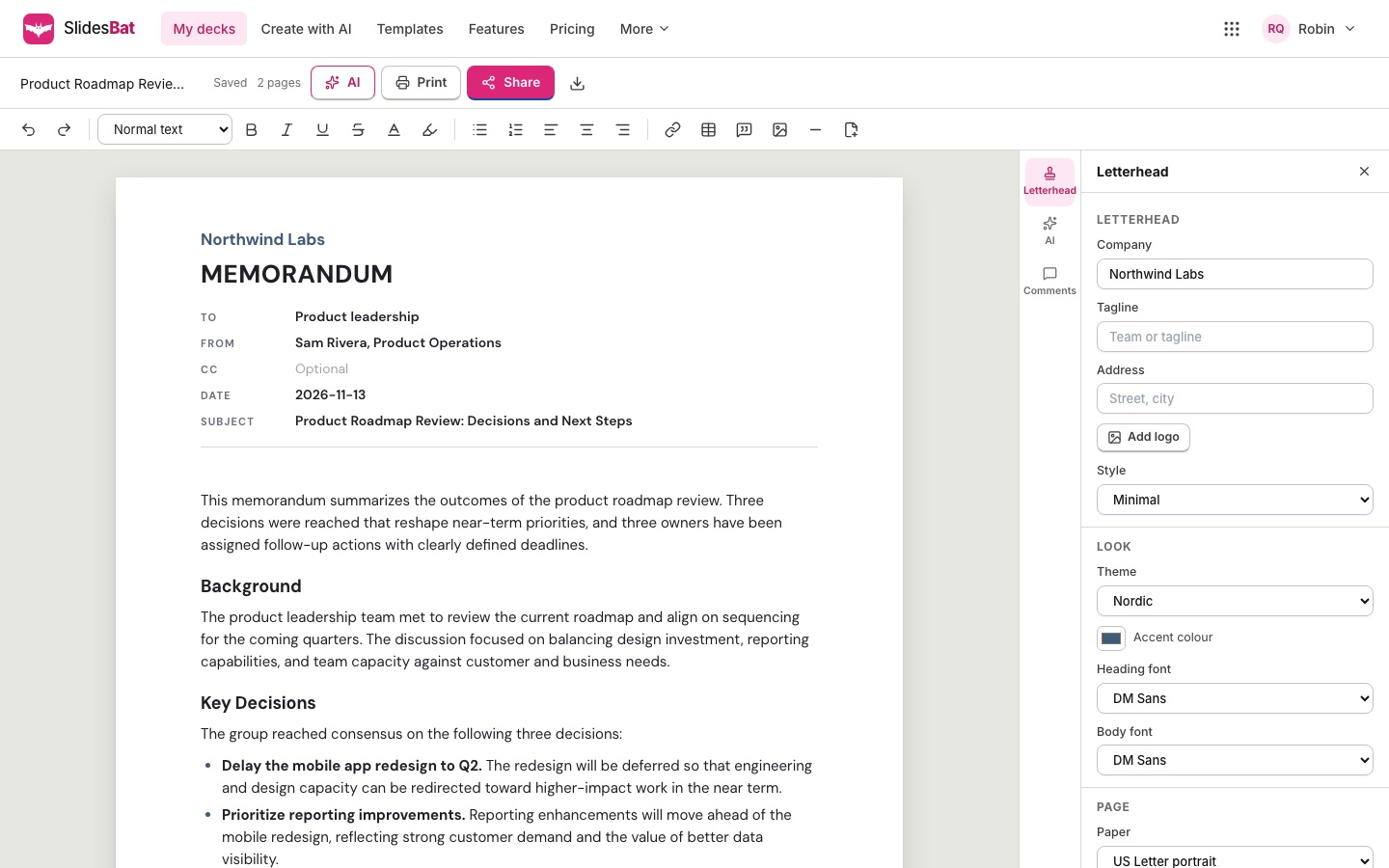
What makes a SlidesBat memo better
Structure, a letterhead and real pages, with AI help where you want it.
Purpose first
Readers know in two sentences what the memo is about and what they need to do.
Your letterhead
Logo, company name, tagline and address in five letterhead styles.
Real pages
US Letter or A4, headers, footers, page numbers and page breaks.
Tables and callouts
Owners and dates in tables, the key decision in a callout.
Edit with AI
Make a part more formal, shorter, friendlier or a bulleted list.
PDF and Word
Export a PDF to send, or a Word file to keep editing.
10 memo templates
Original templates you can use for free, with or without AI.
- Internal memoA clean memo for everyday updatesSubject: New expense approval process
- Policy updateAnnounce a new or changed policySubject: Updated remote work policy
- Meeting summaryDecisions and actions after a meetingSubject: Summary of the roadmap review
- Project statusProgress, risks and next stepsSubject: Website relaunch: status for week 6
- AnnouncementShare news with the whole companySubject: Welcome to our new Lisbon office
- Incident reportWhat happened, impact and follow upsSubject: Incident report: checkout outage
- Decision memoOptions, recommendation and the askSubject: Decision needed: new warehouse location
- Investor updateMonthly update for investorsSubject: Monthly update: [month]
- Board memoFormal briefing for the boardSubject: Briefing ahead of the [month] board meeting
- Welcome memoOnboarding note for a new hireSubject: Welcome to the team
How to write a memo with SlidesBat
- 1
Pick a type
Policy update, meeting summary, incident report and more.
- 2
Describe or paste notes
Add the To and From details.
- 3
Review and send
Edit, then export, print or share a link.
Questions
Is there a free option?
Ten memo templates are free to use without AI. AI writing uses credits from your OfficeBats wallet.
Can I use my company letterhead?
Yes. Add your logo, company name, tagline and address, and pick one of five letterhead styles.
Does it export to Word?
Yes, as a .docx file with real headings, lists, tables, a header and page numbers.
What paper sizes are there?
US Letter and A4, with normal, narrow or wide margins.
Can colleagues comment?
Yes. Share a comment link and they can add comments and replies.

Write your next memo in minutes
Free templates, AI by credits, PDF and Word export.