Take your deck anywhere
When you need a file, export it. PowerPoint files keep text, shapes, photos, tables and charts editable. PDFs keep text sharp at any zoom. PNG images are ready for chats and documents.
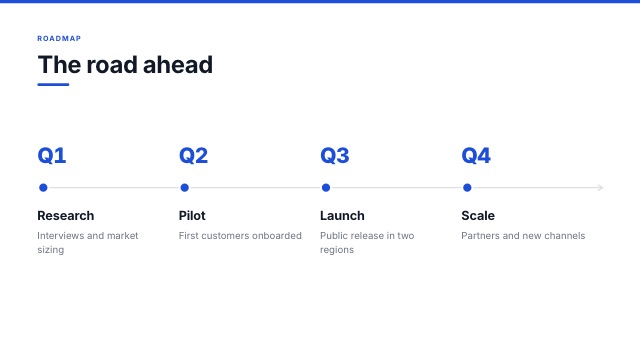
PowerPoint that you can keep editing
Text boxes come through as real PowerPoint text with the same fonts, sizes, colours, bullets and alignment. Shapes, lines, photos and tables stay native, and charts become PowerPoint charts with their data. Anything PowerPoint cannot express becomes a clean picture in the same place.
- Speaker notes included
- Standard widescreen size
- Charts keep their data
PDF and images
PDF export renders every slide with the same engine as the editor, so what you see is what you get, with selectable text. PNG export gives you one slide or a zip of every slide.
- Vector text in PDFs
- One slide or the whole deck
- Hidden slides are left out
Saved to your Drive
Every export is also saved to your OfficeBats Drive in a SlidesBat Exports folder, so you can find it again from any Bats app.
- One Drive for every app
- Share links from the Drive
- Free plan exports carry a small mark
How it works
- 1
Open the menu
Use the download button in the editor.
- 2
Choose a format
PowerPoint, PDF or PNG.
- 3
Done
The file downloads and a copy lands in your Drive.
Questions
Is the PowerPoint file editable?
Yes. Text, shapes, tables, photos and charts are native PowerPoint objects. Complex decorative boxes become pictures.
What is the SlidesBat mark?
Exports on the Free plan include a small Made with SlidesBat label. Pro removes it.
Can I export memos to Word?
Yes. Memos export to Word with real headings, lists, tables and page numbers, and to PDF.
Can people download from a share link?
Only if you allow it. View links can offer PDF and PowerPoint downloads when you tick the option.
Do fonts come along?
PowerPoint files reference the same Google Fonts. Install them on the computer that opens the file for an exact match.
Related features
- Import PowerPoint and MarkdownOpen .pptx files with their text, pictures, shapes, tables and notes, or turn a Markdown outline into a themed deck where every heading becomes a slide.
- Present and shareFull screen slide shows with transitions, presenter view with notes and timer, a laser pointer, phone remote, view links, comment and edit links, and embed codes.
- AI memosWrite a professional memo from a prompt or your notes: To, From, Date and Subject, clear sections, a letterhead with your logo, page numbers, and PDF or Word export.

Make your next deck in minutes
Free to start. No credit card. One OfficeBats account for every Bats app.