Motion that helps the story
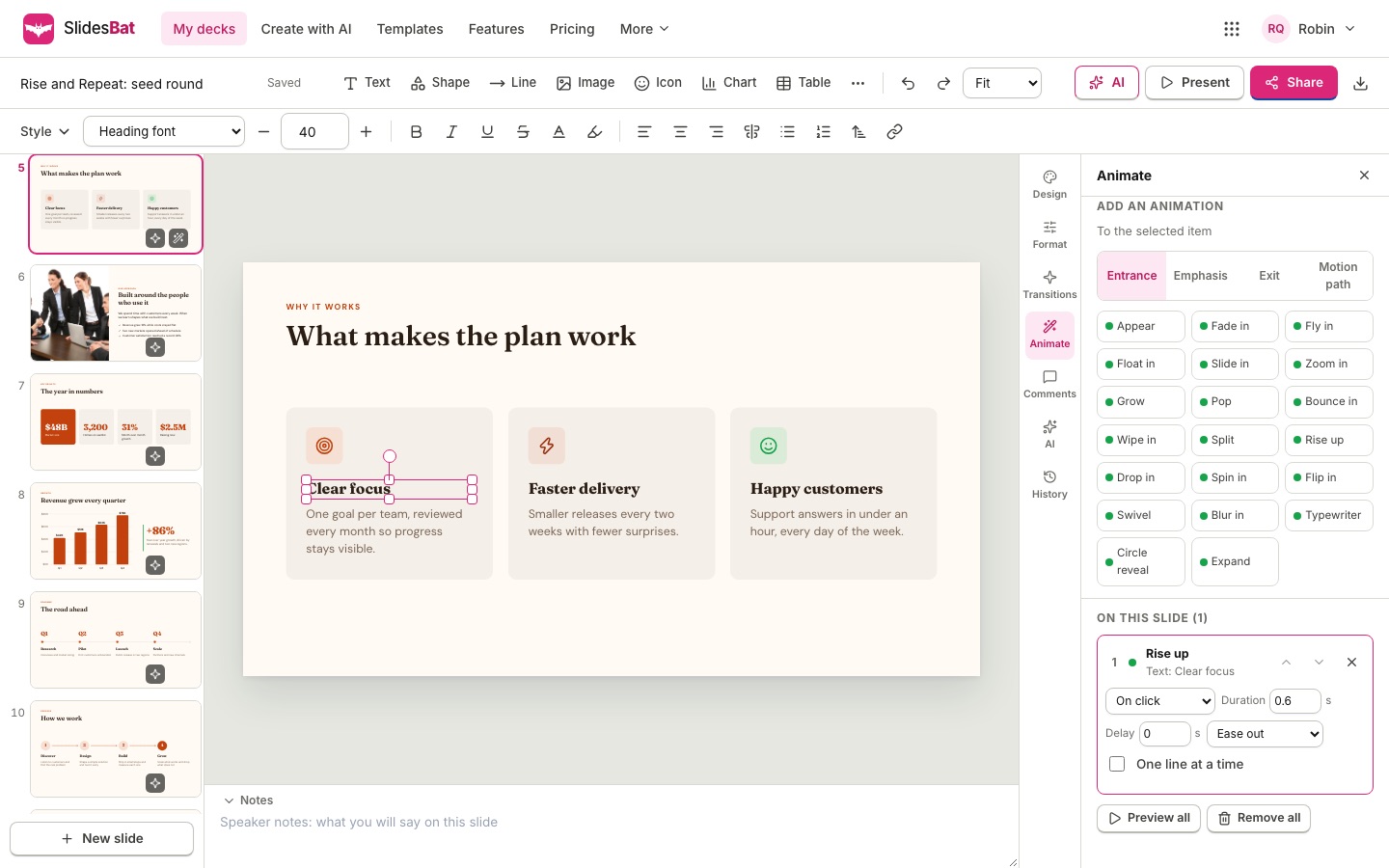
Pick from 34 slide transitions and 55 element animations. Set direction, duration and easing, build bullets one line at a time, and preview everything in the editor.
Transitions between slides
Basic fades and dissolves, moves such as push, cover, uncover and pan, reveals such as wipe, split, circle, clock, blinds and checkerboard, zooms, and 3D effects such as cube, flip, gallery, swing and page turn.
- Direction, duration and easing
- Apply to one slide or every slide
- Preview in the editor
Magic move
Duplicate a slide, then move, resize or recolour things on the copy. With the magic move transition, items that appear on both slides glide smoothly from one state to the other.
- Matches items automatically
- Great for zooming into a detail
- Works in share links too
Animations for each item
Entrance effects such as fly in, float in, rise up, pop, wipe and typewriter. Emphasis effects such as pulse, shake, spin, glow and heartbeat. Exit effects and motion paths such as line, arc, circle, wave and loop.
- On click, with previous or after previous
- Delay, duration, repeat and easing
- One line at a time for lists
How it works
- 1
Select an item
Click a title, list or image.
- 2
Pick an effect
Choose from the animation library.
- 3
Fine tune
Reorder in the animation pane and preview.
Questions
Do animations export to PowerPoint?
The PowerPoint export keeps your content as editable slides; animations and transitions play in SlidesBat presentations and share links.
Can people who receive a link see the animations?
Yes. Share links and embeds play transitions and animations exactly like the presenter.
Do animations respect reduced motion settings?
Yes. When a viewer asks their device to reduce motion, effects are skipped.
How do I build a list one point at a time?
Add an entrance animation to the list and tick One line at a time.
How many animations can a slide have?
Up to 200, which is far more than most talks need.
Related features
- Present and shareFull screen slide shows with transitions, presenter view with notes and timer, a laser pointer, phone remote, view links, comment and edit links, and embed codes.
- Slide editorA full slide editor in your browser: drag, resize, rotate, snap, align, group and lock. Rich text, shapes, icons, images, charts, tables, video and code blocks.
- Templates and themesOriginal templates for pitch decks, business reviews, marketing, lessons, reports, portfolios, weddings and more. Each theme includes 20 layouts and a theme editor.

Make your next deck in minutes
Free to start. No credit card. One OfficeBats account for every Bats app.