Start from a design you are proud of
47 original themes across pitch decks, business reviews, marketing, education, reports, portfolios, events, minimal, dark and bold styles. Every theme comes with the full set of 20 layouts.
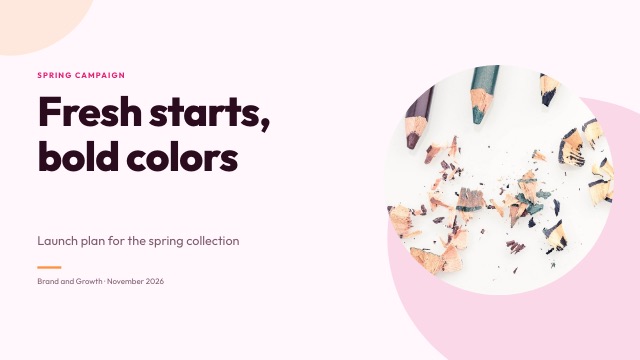
A full layout set in every theme
Title, agenda, section, bullets, image and text, two columns, comparison, features, timeline, process, key numbers, chart, table, quote, team, full bleed image, gallery, pricing, statement and closing.
- Consistent spacing and type
- Works on 16:9, 4:3 and portrait pages
- Switch layouts per slide
Make it your own
The theme editor changes the colours, the heading and body fonts from 40 curated Google Fonts, the corner radius, the title style and the decoration. Every slide updates at once.
- Eight theme colours
- Heading and body fonts
- Background photos and colours per slide
Change themes any time
Switching to another theme keeps your content and restyles colours, fonts and decoration across the deck.
- One click restyle
- Reset to the original theme
- Apply backgrounds to every slide
How it works
- 1
Browse templates
Filter by category.
- 2
Use one
Open it with sample slides or blank.
- 3
Customise
Edit content and the theme.
Questions
Are templates free?
Yes, every template is available on the Free plan.
Can I make my own theme?
Yes. Start from any theme and change its colours, fonts, radius and decoration.
Do templates copy other brands?
No. All themes are original designs.
Can AI use a template?
Yes. Pick a theme in the create step and the AI designs every slide in it.
Do themes work for memos?
Memos use the theme's accent colour and fonts for the letterhead and headings.
Related features
- Slide editorA full slide editor in your browser: drag, resize, rotate, snap, align, group and lock. Rich text, shapes, icons, images, charts, tables, video and code blocks.
- AI presentation makerDescribe your talk or upload a Word, PDF or Markdown file. SlidesBat writes an outline you can edit, then designs every slide with real layouts, photos and notes.
- Flyers, one-pagers and social postsThe same editor for print and social: Letter and A4 flyers, posters, one-pagers, square posts, stories and portrait posts, with themes, photos and AI help.

Make your next deck in minutes
Free to start. No credit card. One OfficeBats account for every Bats app.